
Managed IT Services
for Australian Businesses
Your IT department, without hiring one. Helpdesk, onsite support, monitoring, security and planning from one Australian-based team, on month-to-month terms.
- No lock-in contracts
- Onsite across South East Queensland
- Per-user monthly price

Most issues are typically fixed remotely in under 30 minutes once a tech connects.
Small and medium businesses supported
Typical response to critical issues, business hours
Typical onsite for critical issues across SEQ
Owners’ IT experience, each
What changes when we look after your IT
Many businesses with 5 to 100 staff are too small for an IT team and too reliant on tech to go without. Managed IT fills that gap.
- Staff get back to work fast. Most issues are typically fixed remotely in under 30 minutes once a tech connects.
- Problems caught early. We monitor, patch and check your backups, and report back regularly.
- A team that knows your setup. Not one stretched IT person, or the office manager filling in.
- One monthly price per user. No lock-in contract, and projects are quoted before work starts.
What Fully Managed IT includes
Every Fully Managed IT client gets the services below as standard, in business hours. Projects, hardware, licences, after-hours work and onsite visits outside South East Queensland are quoted or billed separately.
Day-to-day support
- Remote helpdesk for everyday issues
- Onsite visits across South East Queensland when remote can’t fix it
- New starters and leavers set up and closed off
- Hardware quotes, setup and replacement
- We deal with your internet, software and phone suppliers
Security and monitoring
- 24/7 monitoring and alerts
- Patching and software updates
- Endpoint protection (antivirus and EDR)
- Email security and spam filtering
- Backup monitoring and recovery planning
Management and planning
- Microsoft 365 or Google Workspace management
- Network and firewall maintenance
- Regular reporting and health checks
- IT planning and budgeting
- Ongoing cyber security improvements
Need more security? See our cyber security services, Essential Eight and ASD Essentials and SMB1001 certification.
Why paying per fix costs more
Calling someone when things break feels cheaper, until you add up the downtime, the risk and the hourly rates.
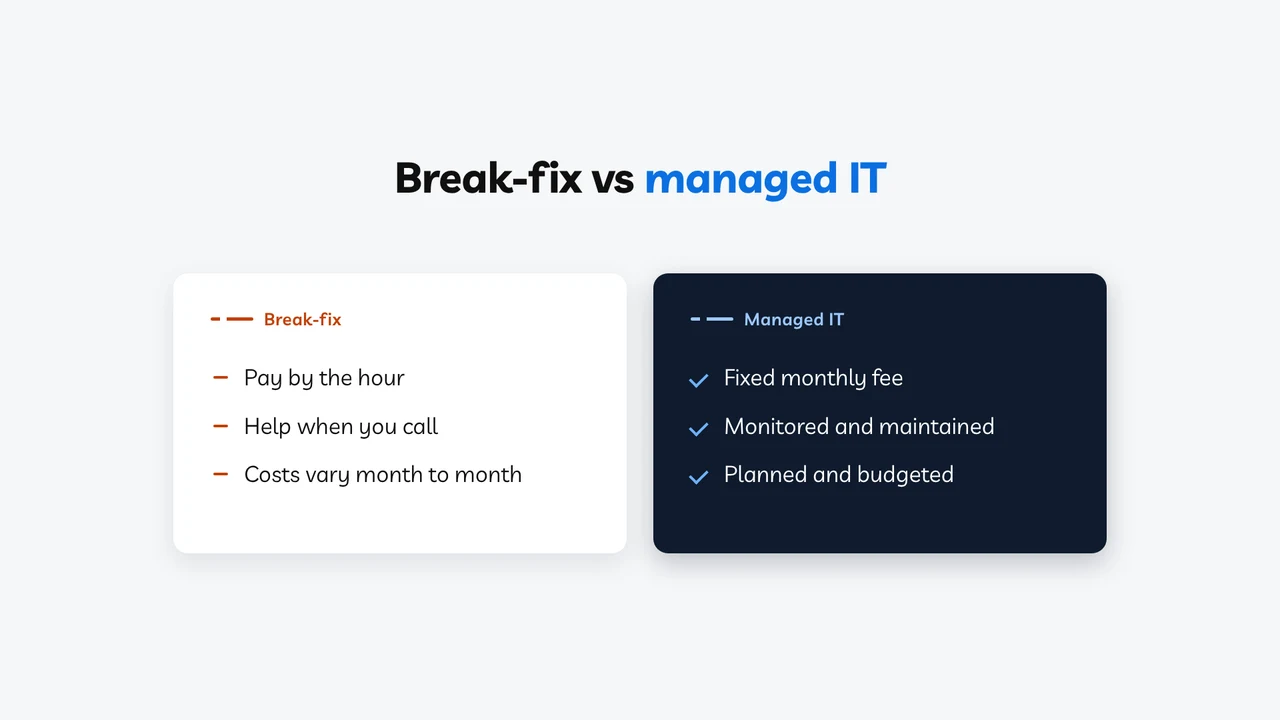
Break-fix vs managed IT, explained in about a minute.
If you’re shopping around for an IT provider, you’ll probably hear two terms: managed IT and break-fix.
Simply put, it’s the difference between waiting for your car to break down and keeping it properly serviced.
With break-fix, you call only when something stops working. It’s like ignoring warning lights until you see smoke. By then, the work has stopped and the repair bill is growing.
On the other hand, managed IT is regular servicing. Systems are monitored, updates and backups are checked, and small problems are fixed before they become expensive outages. All for a predictable monthly fee.
That said, even managed IT can’t prevent every problem. But good maintenance makes problems less likely, less costly, and gets you moving again faster when something does go wrong.
If you’re not sure which approach is right for your business, talk to our team. We’ll break down both options for you.
Typically $130 to $260 an hour in Australia when something breaks
A fixed monthly cost you can budget for
Problems found by your staff
24/7 monitoring catches issues early
Updates happen when someone remembers
Automatic patching keeps systems current
IT decisions made in a hurry
Regular reviews, a roadmap and a budget
Security added after something goes wrong
Security built into everything we do
You’re the IT manager by default
We’re your IT department
Want the security without the full plan? Core IT Security includes the same 24/7 monitoring, patching and security, with support billed only when you use it. Compare the two plans →
Find the right level of support
Not sure whether you need Fully Managed IT, Core IT Security, or just help now and then? Watch the 45-second comparison, see what each plan includes, or answer four quick questions.
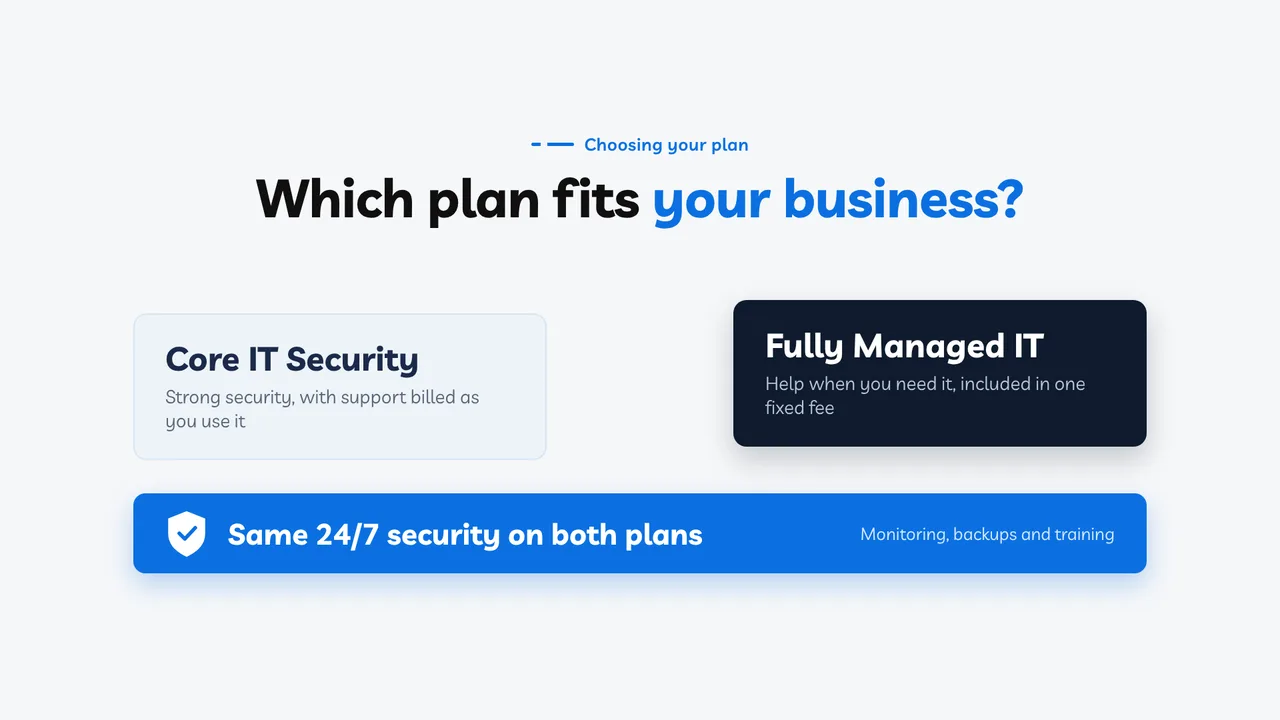
Core IT Security vs Fully Managed IT, explained in 45 seconds.
Which plan fits your business? Core IT Security and Fully Managed IT share the same 24/7 security.
Core IT Security is strong security, with support billed as you use it. It suits businesses with their own IT person.
Fully Managed IT goes further: we become part of your team and look after your day-to-day IT, for one fixed monthly fee.
We learn how you work, your apps and your plans, so our advice fits. With no meter running, your team asks for help as soon as something’s off, so small issues stay small.
Not sure which plan fits? Book a free consultation with our Australian-based team.
What each plan includes
Both plans include the same 24/7 security. The difference is who looks after your day-to-day IT, and how you pay for it.
| What’s included | Core IT Security24/7 security, with support billed as you use it | Fully Managed ITThe same 24/7 security, plus day-to-day IT support |
|---|---|---|
| Cloud protection | ||
| 24/7 sign-in threat detection and response (ITDR)We watch for attempts to take over staff accounts in Microsoft 365 or Google Workspace, day and night, and act on what we find. | ||
| Overseas sign-in protectionSign-ins from outside Australia, or through anonymising services, are flagged and acted on, which makes a stolen password much harder to use from overseas. Staff travelling? We approve their access before they go. | ||
| Account hardening, MFA and sign-in rulesMulti-factor sign-in on staff Microsoft 365 or Google Workspace accounts, with any exceptions documented, and your platform kept to our security baseline. | ||
| Microsoft 365 or Google Workspace monitoring and threat analysis | ||
| Daily backups of email, files and shared drivesEncrypted, stored in Australia and checked regularly. | ||
| Dark web monitoringAlerts when staff email addresses turn up in known data breaches. | ||
| DMARC auditing and monitoringMakes it much harder for scammers to send email pretending to be you. | ||
| Staff security awareness training | ||
| Incident response led by our teamIf something gets through, we investigate, contain it and help you recover. | ||
| Computer security | ||
| 24/7 threat detection on every computer (MDR)Managed antivirus, with our security partner’s operations centre, staffed by human analysts, watching around the clock. | ||
| Security event monitoring (SIEM)Signals from your computers and cloud brought together, so attacks are caught earlier. | ||
| Patching and vulnerability scanningWindows and apps kept up to date, with weaknesses found and fixed. | ||
| Admin rights and application controlStaff work without admin rights, and unapproved software is blocked from running. | ||
| Phishing simulations | ||
| Staff accounts set up and closed securely | ||
| Security policies and regular reportingIncident response, data breach and continuity plans, set up for your business. | ||
| Essential Eight and SMB1001 controls | ||
| Day-to-day IT support | ||
| Unlimited remote support in business hours | Billed hourly | |
| Onsite support across South East Qld | Billed hourly | |
| New staff set up, with devices ready to use | Not included | |
| Software, printer and peripheral support | Not included | |
| Day-to-day admin changesUser permissions, groups, shared mailboxes and licence changes. | Not included | |
| Supplier and internet fault coordination | Not included | |
| Password manager for all staff | Optional extra | |
| Named account manager, IT reviews and planning | Not included |
4 questionsUnder a minute
Your answers stay in your browser. Nothing is stored or sent unless you choose to add your result to the enquiry form.
A starting point based on four answers. We confirm the right service after a free consultation.

Remote first. Onsite when it counts.
Remote support
Call, email or log a ticket. We connect to your computer and fix it while you watch.
Onsite support
Hardware faults, network problems and new equipment. Typically same day for critical issues across South East Queensland.
Proactive monitoring
We monitor disk space, backups, security alerts and updates, and aim to fix problems before your team notices. Security alerts are watched 24/7; other fixes happen in business hours.
IT reviews
We meet with you to review your IT health, plan upgrades and budget, so there are no surprises.
How fast we respond
Systems down or a security incident
Something’s not working but your team can keep going
A problem that needs someone at your office
Business hours, Monday to Friday, with after-hours emergency support available by phone, billed at after-hours rates.
Who holds the keys to your IT?
If your IT provider disappeared tomorrow, could you still get into your own systems?
10 questionsAbout 2 minutesNo email needed
Your answers stay in your browser. Nothing is stored or sent unless you choose to add your result to the enquiry form.
A general checklist, not an audit. Reviewed October 2026.
IT support across SEQ, and Australia-wide
We’re a South East Queensland business. Choose your area to see where we go onsite, how quickly we get there and typical pricing.
Brisbane
Onsite and remote support across Greater Brisbane and Ipswich
Ipswich
Onsite and remote support across Ipswich and Springfield
Gold Coast
Onsite and remote support across the Gold Coast
Sunshine Coast
Onsite and remote support across the Sunshine Coast
Sydney
Remote support, with onsite visits arranged when needed
Australia-wide
Remote support for businesses anywhere in Australia

What managed IT costs
Core IT Security covers your security, with support billed as you use it. Fully Managed IT covers helpdesk, onsite visits across South East Queensland, monitoring, security, patching, supplier coordination and planning, for one monthly fee per user. Projects, hardware, licences and after-hours work are extra. Where you sit in a range depends on your users, sites and requirements.
- No lock-in contracts. Stay because the service is good.
- No surprise project invoices. Projects like office moves are quoted before any work starts.
- Often cheaper than hiring. An in-house IT person costs $85,000 to $100,000 a year before super, leave and training.
Core IT Security
per user, per month, inc GST
24/7 security, with support billed as you use it. Minimum 5 users.
Fully Managed IT
per user, per month, inc GST
Unlimited remote support, plus onsite across South East Qld, in business hours (8:30am to 5:00pm weekdays). Security included.
Fully Managed IT, multi-site or regulated
for your sites, inc GST
More sites, on-site servers or industry compliance needs
A 10-person business on Fully Managed IT usually pays about $2,200 to $2,500 a month inc GST.
Not sure which plan fits? Answer 4 quick questions →
Business hours are 8:30am to 5:00pm AEST, Monday to Friday, excluding Queensland public holidays. Prices include GST.
Not included in the monthly price: projects and migrations, hardware and software purchases, Microsoft 365 or Google Workspace licences, after-hours work (billed at after-hours rates), onsite visits outside South East Queensland (billed at partner rates), internet, phone and cabling costs, website development, hosting and website security, custom software, physical security such as alarms, CCTV and building access, and general IT training beyond security awareness.
Our 30-day guarantee: if we haven’t won you over in the first 30 days, tell us in writing within that time and we’ll refund your first month’s fee, no questions asked. The usual 30 days’ notice still applies.
No security service can prevent every incident. Our services reduce the likelihood and impact of one.
Up and running, with the handover planned
Discovery call
A quick conversation about your business, your current IT and what needs fixing. No hard sell.
IT assessment
We review your devices, users, network, security, backups and licences, so we know exactly where things stand.
Proposal and onboarding
You get a clear proposal. Then we set up our monitoring tools, document your environment and give your team helpdesk access.
Ongoing management
You call us when you need help, we call you when we spot something, and regular reviews keep it all on track.
Built for businesses like yours
- Businesses with 5 to 100 staff, in any industry
- Anyone paying by the hour for IT and wanting something more reliable
- Businesses that have outgrown their IT person
- Healthcare, legal, finance and construction businesses with compliance needs
- Remote, hybrid and multi-site teams
- Owners who want IT off their plate
Already have an IT person?
We can work alongside them. They handle the day-to-day, and we bring the monitoring, security and planning they don’t have time for.
With another provider?
Switching is straightforward. We manage the handover, get access to your systems and document everything, planned so your team stays supported.
5 stars to Michael & Jason at SEQ IT, always happy to help me, from helping us with an IT project to smaller computer problems. We absolutely recommend them if you are a small business.
Ipswich, QLD
We meet the standard we recommend
SEQ IT achieved SMB1001 Gold, an international cyber security standard for small and medium businesses, through CyberCert. We’re also a CyberCert Partner, so the controls we put in place for you are the same ones we run ourselves.

SMB1001 Gold

Partner

Partner and Cloud Solution Provider (CSP)

Google Cloud Partner
Common questions
Where do you provide onsite IT support?
Across South East Queensland, including Brisbane, Ipswich, the Gold Coast and the Sunshine Coast, with onsite support typically the same day for critical issues. Most issues are fixed remotely, and we support businesses anywhere in Australia remotely.
What does managed IT support include?
On Fully Managed IT: a remote helpdesk and onsite visits across South East Queensland in business hours, 24/7 security monitoring, patching, endpoint and email security, backup monitoring, Microsoft 365 or Google Workspace management, supplier coordination, reporting and IT planning, for one monthly fee per user. Projects, hardware, licences, after-hours work and onsite visits outside South East Queensland are extra. Core IT Security covers the security side, with support billed as you use it.
What's the difference between managed IT and break-fix?
Break-fix is reactive: you pay by the hour when something goes wrong, and nobody is watching your systems in between. Managed IT is proactive: we monitor and maintain your systems and aim to fix problems before they affect your business, for one monthly fee per user.
Are we locked into a contract?
No. We don’t use lock-in contracts. If the service is good you’ll stay, and if it isn’t, a contract shouldn’t be the reason you can’t leave.
How quickly do you respond?
Critical issues such as systems down or a security incident typically get a response within 15 minutes in business hours. General requests are usually picked up within 4 to 8 business hours, and most are fixed remotely within 30 minutes of a tech connecting.
We already have an IT person. Can you work alongside them?
Yes. Your IT person keeps handling the day-to-day, and we provide the monitoring, security, specialist skills and planning. This is often called co-managed IT and works well for growing businesses.
What if we're with another IT provider?
We manage the switch for you: getting access to your systems, documenting your environment and planning the handover so your team stays supported.
Does managed IT include cyber security?
Yes. Every managed IT client gets endpoint protection, email security, patching and backup monitoring as standard. You stay accountable for your security. We do the work, keep it running and give you the evidence to show it. Both plans include security awareness training and incident response as standard. For more, we offer SMB1001 certification work and Essential Eight assessments if you still report against it, through our cyber security services.
How much does managed IT cost?
For most small and medium businesses, Fully Managed IT costs $220 to $250 per user per month inc GST, depending on complexity, and multi-site or regulated businesses are quoted for their sites. Core IT Security, with support billed as you use it, is $125 to $157 per user per month inc GST (minimum 5 users). You get a fixed-price proposal after a free assessment of your setup.
Book your free IT consultation
We’ll review your current setup, point out the gaps and show you what managed IT would look like for your business. No obligation.
- What we found, without the jargon
- What we’d fix first
- A fixed monthly price if you want us to take over
Prefer to talk? Call 1300 619 750, Monday to Friday.
Tell us what you need and we’ll get back to you.